How to reach PositiveSingles support
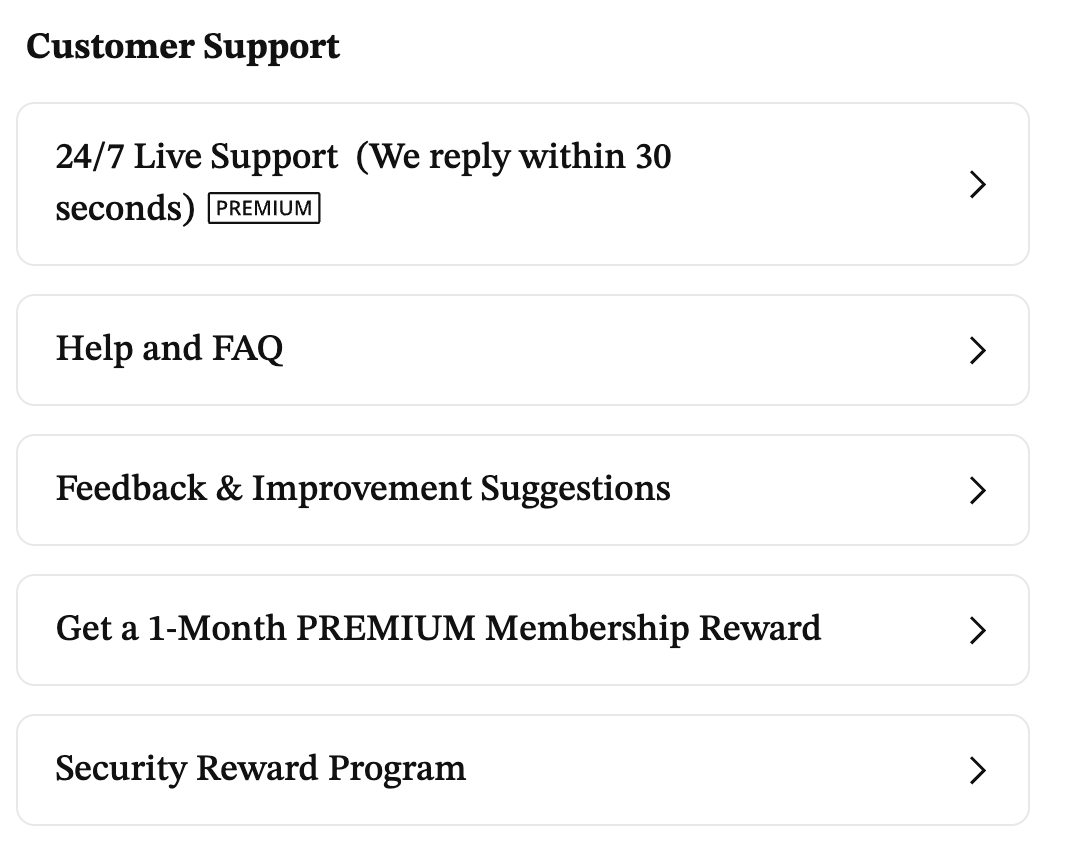
PositiveSingles keeps its support options under Settings › Customer Support, read September 21, 2026. Three of the entries there are what you would call ordinary support: 24/7 Live Support, marked Premium on that screen and set to We reply within 30 seconds
; Help and FAQ, the self-serve library this page draws its own quotes from; and Feedback & Improvement Suggestions, for comments rather than account problems.
For a person rather than an article, the Help and FAQ names two direct contacts: 1-416-628-1072 / 1-888-702-1274 (Toll-Free)
by phone, and support@PositiveSingles.com
by email, read September 21, 2026. This page lives on positivesinglesusa.com. It is not PositiveSingles, cannot open your account, cannot reset a password and cannot process a refund; the phone numbers and email address above go to the company that actually can.
Turning off auto-renewal
Turning off auto-renewal happens on the website, from Settings under Subscriptions, not on this page. PositiveSingles’ Help and FAQ walks through the exact clicks: To cancel your subscription / auto-billing, after logging in, click ‘SETTINGS’ under your main photo icon in the upper right corner of the top navigation bar, then click on ‘Subscriptions’ in the left sidebar below ‘SETTINGS’. Then hit the link ‘Your membership will automatically renew until you cancel your subscription by clicking here’, and hit the ‘CONTINUE MANAGEMENT’ item to stop the auto-renewal.
The same Subscriptions page also carries a link to switch auto-renewal back on later, if you change your mind again.
The checkout page states the underlying terms plainly: Your subscription renews automatically every 3 months at $59.95 unless canceled. Cancel anytime in Account Settings > Subscription or through Contact Us.
Turning auto-renewal off does not end Premium the moment you click it, though: After you turn off your auto-renewal, you can still enjoy the privileges on our site as a premium MEMBER until your premium MEMBERSHIP ends.
Whatever term you already paid for keeps running to its end date; only the next charge is what turning it off actually stops.
Pausing instead of deleting
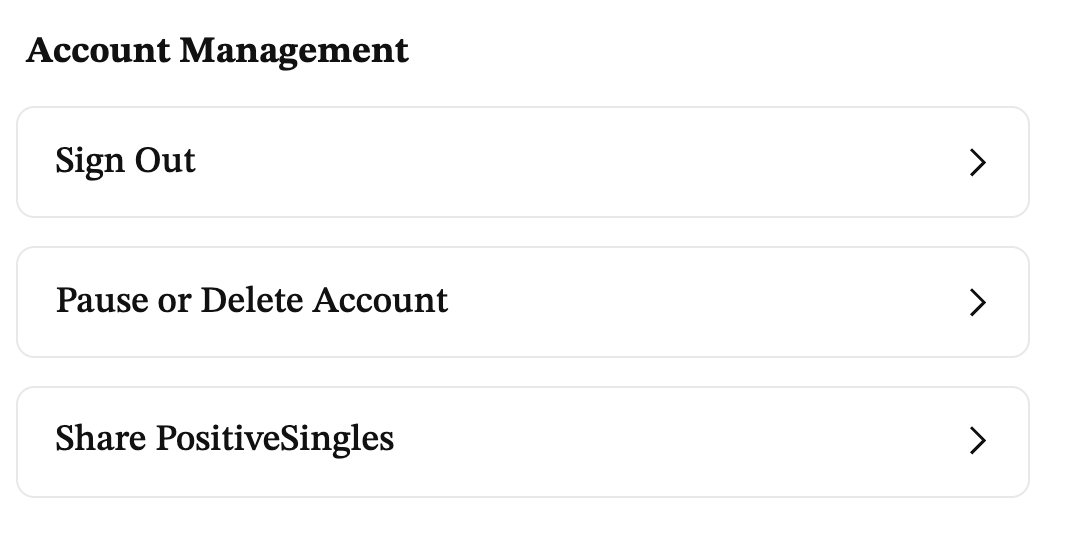
Pausing and deleting share one entry at the very bottom of Settings, under Account Management: Pause or Delete Account. Opening it asks for your password first. The screen frames why: Protect your security and privacy by entering your password.
A CONFIRM button sits next to NOT NOW, with a Forgot Password? link alongside, read September 21, 2026. This page did not enter a password, so what comes after that screen goes unguessed here.
What pausing itself accomplishes is covered elsewhere on the same Settings page, in PositiveSingles’ own words: You can pause your account to hide your profile and photos from others without deleting your account.
That is a real alternative to deleting outright: your profile and photos stop being visible, and nothing about the account is destroyed. It does not touch billing, though. A separate FAQ entry on freezing a Premium membership is direct about that: At present, we do not allow freezing of your premium MEMBERSHIP.
A paused Premium plan keeps charging on schedule; turning off auto-renewal, covered above, is the separate step that stops the charges.
Deleting a profile for good
The same Pause or Delete Account entry is also where deleting happens. PositiveSingles’ Help and FAQ, last updated July 7, 2025, covers it as one action: To deactivate or delete your profile, please go to ‘My Account’ under the ‘SETTINGS’ tab found under your main photo icon in the top navigation bar, supply your password, and then follow the steps by clicking: ‘Click here to deactivate or delete your account’.
What follows is not permanent right away: Note: After using the ‘Delete My Account’ feature, your profile will be removed from the site and your profile will no longer be viewable. If you log in again within six months, your account will be automatically restored. If you do not log in again within six months, your information will be permanently deleted from our database except your success stories and other information that you posted in the common community.
Billing after deleting depends on how you paid. PositiveSingles’ Help and FAQ draws the line plainly: When paying by Google Play or the Apple App Store, please note that you’ll also have to stop your subscription through Google and / or Apple. If you do not, you will continue being charged regardless of your account status on the app. If paying by credit card, we’ll automatically cancel your subscription for you if you remove your account. If any billing problems arise, please contact us.
Refund policy
PositiveSingles’ Help and FAQ states a cancellation right up front: You have the right to cancel your subscription without any penalty or obligation.
Getting money back after that is not automatic, though. The same entry routes it through a person: For any full / prorated refund inquiries within a reasonable time frame or if you wish to make changes to your premium MEMBERSHIP, please contact our customer service
Its phone numbers and email are the ones named above, under how to reach support. Usually we deal with your requests within one business day.
That turnaround is an estimate from PositiveSingles itself, not a promise this site can make on its behalf. Whether any specific refund gets approved, and how much of it, is a decision customer service makes case by case. This page does not guess at the outcome.
Cancelling a plan bought through the App Store or Google Play
A plan bought inside the iPhone or iPad app cancels through Apple, not through PositiveSingles. PositiveSingles’ Help and FAQ spells out the steps for an iPhone or iPad:
- Open the Settings app.
- Tap your name.
- Tap Subscriptions.
- Tap the subscription.
- Tap Cancel Subscription. You might need to scroll down to find the Cancel Subscription button. If there is no Cancel button or you see an expiration message in red text, the subscription is already canceled.
Google Play works the same way in principle, through that store’s own subscription settings rather than PositiveSingles’ website.
Turning off auto-renewal on the website, covered above, does nothing to a plan billed this way. PositiveSingles says so directly: When paying by Google Play or the Apple App Store, please note that you’ll also have to stop your subscription through Google and / or Apple.
The billing section above covers what happens if that step gets skipped.